 Gear Fit2 Navigation
7.25
Gear Fit2 Navigation
7.25
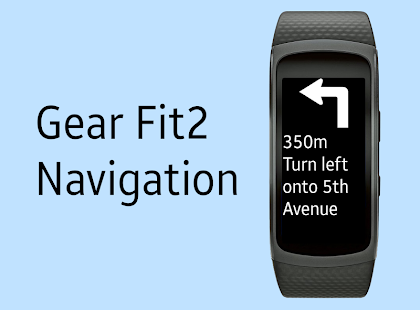
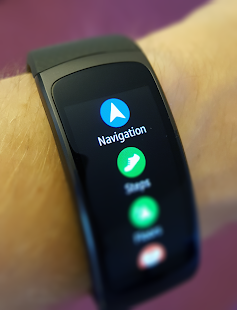
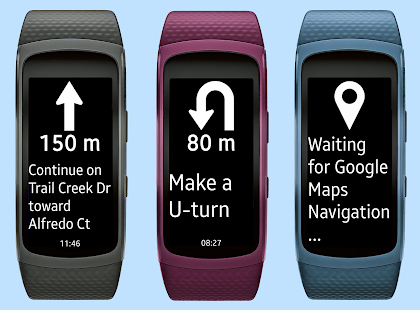
This app displays Google Navigation instructions on your Samsung Gear Fit2 smartwatch.
It automatically installs the companion app on your Gear Fit2.
Works with Gear Fit2 Pro, too.
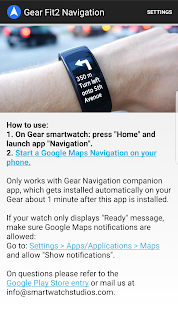
How to use:
- Install Samsung Gear and connect with your Gear Fit2 device.
- Install this "Gear Fit2 Navigation" app.
- After you opened the app on your phone you will be asked to allow the installation the the watch app, tap OK.
- Allow the app to read notifications. (Go to: Settings > Security > Notification Access and enable Gear Fit2 Navigation).
- Start Google Maps Navigation and instructions will be pushed to your smartwatch.
Troubleshooting
- Ensure your Gear Fit2 is connected to Phone and you have Samsung Gear installed.
- If the app still only shows the "waiting" message, please ensure that maps notifications are activated and displayed on your phone (Go to: Settings > More > Applications > Maps and enable "Show notifications").
- Restart smartphone AND Gear Fit
- Uninstall and reinstall the app
It automatically installs the companion app on your Gear Fit2.
Works with Gear Fit2 Pro, too.
How to use:
- Install Samsung Gear and connect with your Gear Fit2 device.
- Install this "Gear Fit2 Navigation" app.
- After you opened the app on your phone you will be asked to allow the installation the the watch app, tap OK.
- Allow the app to read notifications. (Go to: Settings > Security > Notification Access and enable Gear Fit2 Navigation).
- Start Google Maps Navigation and instructions will be pushed to your smartwatch.
Troubleshooting
- Ensure your Gear Fit2 is connected to Phone and you have Samsung Gear installed.
- If the app still only shows the "waiting" message, please ensure that maps notifications are activated and displayed on your phone (Go to: Settings > More > Applications > Maps and enable "Show notifications").
- Restart smartphone AND Gear Fit
- Uninstall and reinstall the app
Fotogalerie
-
Verze programu
7.25
-
Poslední aktualizace od vývojáře
30. 11. 2017
-
Počet stažení za měsíc
3 ×
-
Potřeba instalace:
Ano
-
Web autora
-
Podporované jazyky
- Angličtina
Cena: 64,99 Kč
Sdílet
Podobné programy


TIP: Stahují se vám programy pomalu? Změřte si rychlost svého internetového připojení.