 Finding Missing Number in the Division
1.0
Finding Missing Number in the Division
1.0
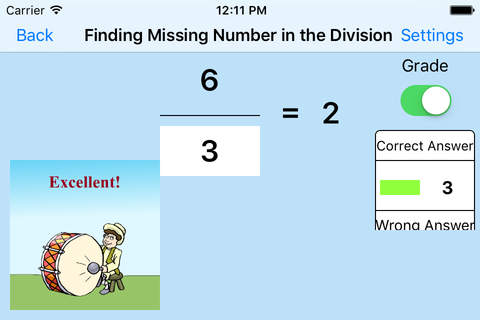
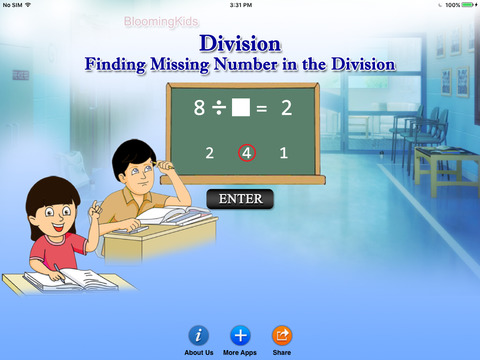
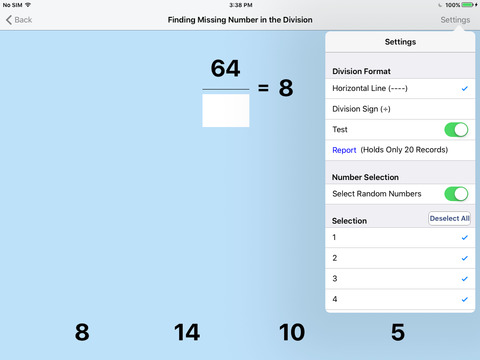
In this program there is a division problem at the top of the screen with the second number blank. The program voice says (for instance) “Fifty-six divided by what number makes eight? Click the correct answer." There are four numbers at the bottom of the screen, and the student should click the correct choice from among them. If the student clicks the correct number, the voice says “Fifty-six divided by seven is eight."
Settings
Division Sign
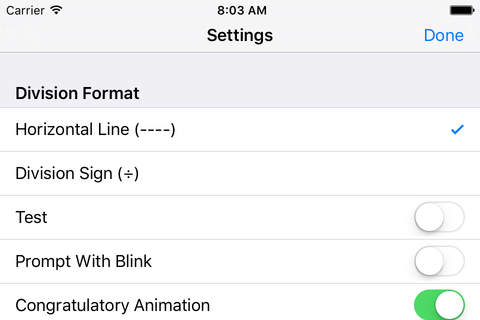
The division problem will be written in a horizontal format with a division sign (÷).
Horizontal Line
The division problem will be written in a vertical format with a horizontal line between the two numbers.
Prompt with Blink
This is checked by default. If the student fails to find the correct answer within ten seconds, the program guides him/her to the correct choice by making the correct choice blink.
Congratulatory Animation
This box is checked by default. When this is checked, clicking the correct number invites a congratulatory animation. This animation runs for ten seconds. Click anywhere on the screen or press space bar to stop the congratulatory animation.
Select Random Numbers
If this is selected then the answer number will be random order, which are the selected number on the selection.
Training
This program uses colors to train listening and matching skills.
Select Random Numbers
If this is selected then the answer number will be random order, which are the selected number on the selection.
Test
Here, the student can test him/herself.
Report
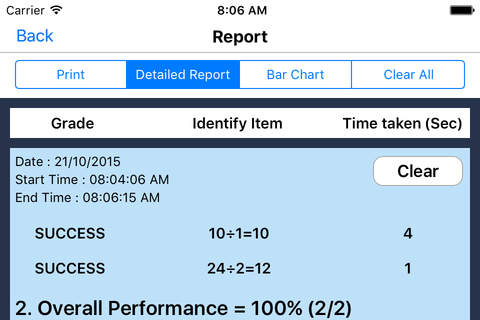
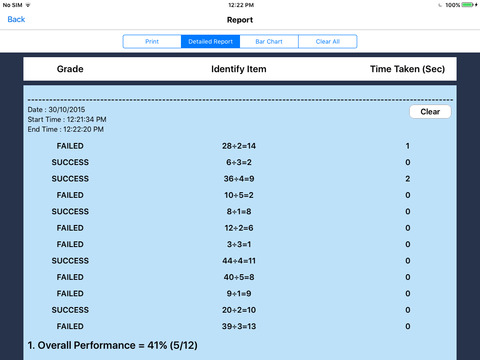
This displays results of the “Test”. The report (Holds Only 20 Records).
Grade On/Off: If it is on, app will monitor correct and wrong responses by the student
Correct Answer: When a student response to a question with correct answer
Wrong Answer: When a student response to a question with wrong answer
Number of Total Attempt: Number of times a student tried to answer questions in the app.
Bar Chart: Represents the student's performance graphically.
Detail Report: Test results including the grade. object identified, distracter and time taken to finish the test.
Print: This will print the grade or data on the screen.
Clear Data: This button erase all the data that was stored and free up the memory that data was occupying.
Settings
Division Sign
The division problem will be written in a horizontal format with a division sign (÷).
Horizontal Line
The division problem will be written in a vertical format with a horizontal line between the two numbers.
Prompt with Blink
This is checked by default. If the student fails to find the correct answer within ten seconds, the program guides him/her to the correct choice by making the correct choice blink.
Congratulatory Animation
This box is checked by default. When this is checked, clicking the correct number invites a congratulatory animation. This animation runs for ten seconds. Click anywhere on the screen or press space bar to stop the congratulatory animation.
Select Random Numbers
If this is selected then the answer number will be random order, which are the selected number on the selection.
Training
This program uses colors to train listening and matching skills.
Select Random Numbers
If this is selected then the answer number will be random order, which are the selected number on the selection.
Test
Here, the student can test him/herself.
Report
This displays results of the “Test”. The report (Holds Only 20 Records).
Grade On/Off: If it is on, app will monitor correct and wrong responses by the student
Correct Answer: When a student response to a question with correct answer
Wrong Answer: When a student response to a question with wrong answer
Number of Total Attempt: Number of times a student tried to answer questions in the app.
Bar Chart: Represents the student's performance graphically.
Detail Report: Test results including the grade. object identified, distracter and time taken to finish the test.
Print: This will print the grade or data on the screen.
Clear Data: This button erase all the data that was stored and free up the memory that data was occupying.
Fotogalerie

-
Verze programu
1.0
-
Poslední aktualizace od vývojáře
1. 4. 2017
-
Počet stažení za měsíc
0 ×
-
Velikost
58,53 MB
-
Potřeba instalace:
Ano
-
Web autora
-
Systémové požadavky
Aplikace pro: iPhone, iPad
-
Podporované jazyky
- Angličtina
Zdarma
Aplikace pro: iPhone, iPad
Sdílet
Podobné programy


TIP: Stahují se vám programy pomalu? Změřte si rychlost svého internetového připojení.