 LG Action CAM LTE Manager
5.1.15
LG Action CAM LTE Manager
5.1.15
LG Action CAM LTE, an action camera broadcast video via cellular network or Wi-Fi connection to internet.
- Connection between LG Action CAM LTE and smartphone
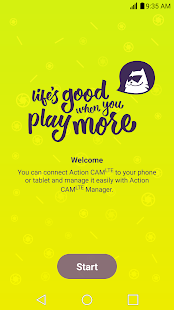
Simply install and run the LG Action CAM LTE Manager App. on your smartphone. You can connect your LG Action CAM LTE.
LG Action CAM LTE’s initial password is “00+last 6 digits of serial numbers”
You can change Wi-Fi password in settings menu in LG Action CAM LTE manager app.
- Camera : Shoot with smartphone display
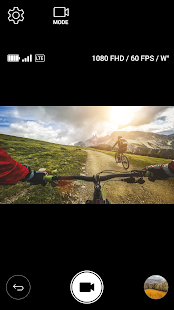
You can use the LG Action CAM LTE Manager app. in your smartphone, and shoot photos and videos on your LG Action CAM LTE.
You can also change camera options (Resolution, FPS, Field of view, etc.).
- Video Streaming
You can broadcast your video to Youtube or Afreeca TV in real time via cellular network (LTE, 3G) or Wi-Fi connection to internet.
Before using video streaming, you have to register your Youtube or Afreeca TV account in LG Action CAM LTE manager app.
- Gallery : Viewing
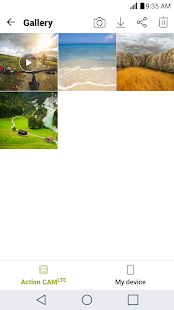
You can use LG Action CAM LTE manager app. to view images and videos you shoot.
You can browse and download images and videos in external SD card of LG Action CAM to smartphone.
- Home CCTV
You can remotely access LG Action CAM LTE by creating LG account with personal authentication.
- Connection between LG Action CAM LTE and smartphone
Simply install and run the LG Action CAM LTE Manager App. on your smartphone. You can connect your LG Action CAM LTE.
LG Action CAM LTE’s initial password is “00+last 6 digits of serial numbers”
You can change Wi-Fi password in settings menu in LG Action CAM LTE manager app.
- Camera : Shoot with smartphone display
You can use the LG Action CAM LTE Manager app. in your smartphone, and shoot photos and videos on your LG Action CAM LTE.
You can also change camera options (Resolution, FPS, Field of view, etc.).
- Video Streaming
You can broadcast your video to Youtube or Afreeca TV in real time via cellular network (LTE, 3G) or Wi-Fi connection to internet.
Before using video streaming, you have to register your Youtube or Afreeca TV account in LG Action CAM LTE manager app.
- Gallery : Viewing
You can use LG Action CAM LTE manager app. to view images and videos you shoot.
You can browse and download images and videos in external SD card of LG Action CAM to smartphone.
- Home CCTV
You can remotely access LG Action CAM LTE by creating LG account with personal authentication.
Fotogalerie

-
Verze programu
5.1.15
-
Poslední aktualizace od vývojáře
21. 5. 2017
-
Počet stažení za měsíc
0 ×
-
Velikost
27 MB
-
Potřeba instalace:
Ano
-
Web autora
-
Podporované jazyky
- Angličtina ,
- Korejština
Zdarma
Sdílet
Podobné programy


TIP: Stahují se vám programy pomalu? Změřte si rychlost svého internetového připojení.